
Studying looks nothing like it used to, even compared to just a couple of years back — and 2026 has widened that gap even further. The best AI tools for students in 2026 have moved well past being simple chatbots that spit out answers. They break down concepts in plain language, turn a scramble of notes into an actual study guide, and catch mistakes before your professor ever gets the chance to.
What’s changed is how these tools fit into actual studying, not just homework help. A few years ago, “using AI for school” mostly meant asking it to write something for you. Now it’s closer to having a study partner who never gets tired of your questions — one that can quiz you at midnight, turn a wall of lecture slides into flashcards, or walk through a tricky math problem step by step instead of just handing you the answer.
Of course, not every tool does the same job well. Some are built for explaining concepts, others for organizing notes, and a few are made specifically for subjects like math or coding, where a general chatbot tends to fall short. Knowing which tool fits which task is really what separates students who use AI well from students who just use it a lot.
That’s what this list is about — not a random collection of “AI tools you should try,” but the ones that actually earn a spot in a student’s daily routine, and why each one works the way it does.
What Actually Makes a Tool Worth Keeping
Before the list, a filter worth applying to anything you’re considering. A good AI app for students should save you real time, help you understand something you were stuck on, or noticeably improve the quality of something you’re producing. If it doesn’t do at least one of those clearly, it’s not worth the login.
Best AI Tools for Students (Free): A Simple, Honest Guide
Before installing anything new, it’s worth pausing for a second and asking yourself — is this actually going to save time, help something click, or make the work I’m doing better?
Also, “free” doesn’t always mean free. Some tools give you just enough to get hooked, then ask for money the moment you actually need them. Every tool below has a free version that works for a whole semester, not just a few days.
- ChatGPT and Gemini — Good for Almost Everything
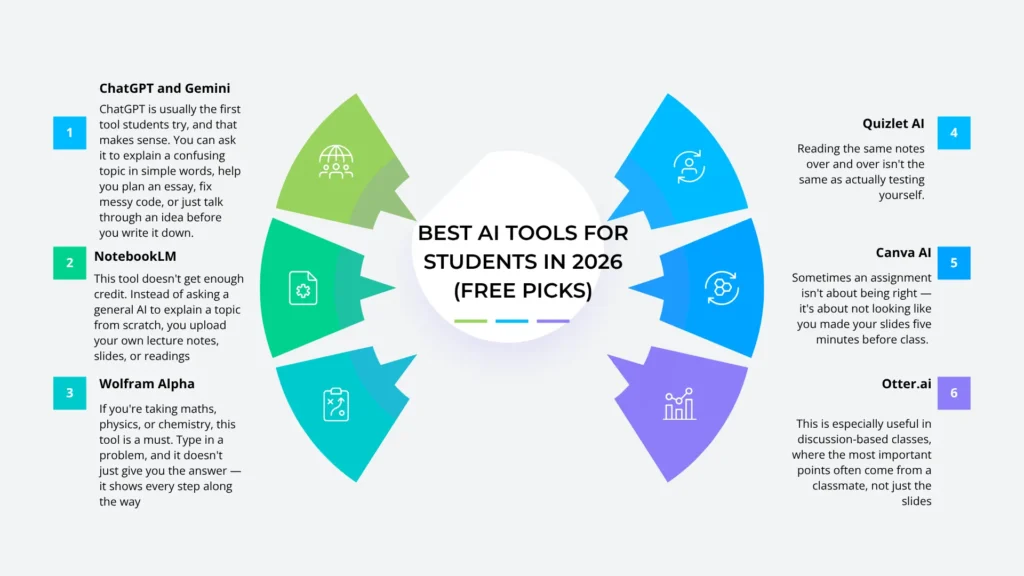
ChatGPT is usually the first tool students try, and that makes sense. You can ask it to explain a confusing topic in simple words, help you plan an essay, fix messy code, or just talk through an idea before you write it down. The free version has some limits, so it might slow down during long study sessions. But for everyday help, it’s hard to beat.
Gemini.google is great if you already use Google for everything — Docs, Gmail, Drive. It fits right into tools you already use, so there’s less jumping between tabs. Many schools also offer a free or discounted Gemini plan if you sign up with your student email, so it’s worth checking before you pay for anything.
One warning with both tools: they can sound very sure of themselves even when they’re wrong. Always double-check facts, numbers, and dates. Use them to think faster, not to think for you.
know more: https://www.javaassignmenthelp.com/blog/category/programming
2. NotebookLM — Study Straight From Your Own Notes
This tool doesn’t get enough credit, honestly. Instead of asking a general AI to explain a topic from scratch, you upload your own lecture notes, slides, or readings, and it only answers using what you actually gave it.
Why does that matter? Because a normal AI chat might explain something a little differently than how your teacher taught it — and you won’t even notice until you’re losing points on a test. NotebookLM sidesteps that problem entirely. Come exam time, it can take a messy pile of notes and turn it into something you can genuinely study from.
3. Wolfram Alpha — For Math and Science Problems
If you’re taking math, physics, or chemistry, this one’s basically a must-have. Type in a problem, and instead of just spitting out the answer, it walks you through every step along the way. That’s actually the part that helps you learn, rather than just getting the homework done and moving on.
It’s not built for general questions the way ChatGPT is — don’t expect it to help with an essay. But when numbers are involved, it’s hard to beat for reliability.
4. Quizlet AI — Turns Notes Into Flashcards
Reading the same notes on repeat isn’t the same as actually testing yourself on them. Quizlet lets you paste in your notes, and it automatically generates flashcards from them, so you’re pulling information out of your head instead of just skimming it back in — which is what actually makes it stick.
- Canva AI — For Slides That Don’t Look Rushed
Sometimes an assignment isn’t about being right — it’s about not looking like you made your slides five minutes before class. Canva’s AI tools can build layouts, suggest designs, and turn plain text into something easier to look at. It won’t fix weak content, but it makes decent content look a lot better.
- Otter.ai — For Lectures That Move Too Fast
Some classes go faster than you can write. Otter.ai records and transcribes the lecture for you, so you can go back later and search through everything that was said. This is especially useful in discussion-based classes, where the most important points often come from a classmate, not just the slides.
Why Students Should Use AI Tools
AI doesn’t replace the work of learning — it just removes the parts that were never the point in the first place, leaving more room for the stuff that actually matters.
- Saves time –
Summarizing readings, organizing notes, and outlining assignments take minutes instead of hours.
- Explains things differently –
If a topic doesn’t click the first time, AI can break it down again in a simpler way, without judgment.
- Available anytime –
No office hours needed. It’s there at 1 a.m. before an exam just as much as at noon.
- Improves writing –
Catch awkward sentences, grammar mistakes, and unclear ideas before you submit.
- Helps you study smarter –
Turns notes into flashcards or quizzes, so you’re actively recalling info instead of just rereading it.
- Supports research –
Some tools link real sources, so you can double-check facts before using them.
- Builds a useful skill –
Knowing how to use AI well is becoming valuable beyond school too, in most jobs.
- Reduces busywork –
Frees up time for actual understanding, instead of just getting through tasks.
How AI helps students-
AI helps students learn faster by explaining tricky topics in simple terms, organizing messy notes, and offering instant answers whenever they’re stuck. It also saves time on repetitive tasks like summarizing readings or creating study guides, leaving more room for actual understanding and practice.
1. Makes Hard Topics Easier to Understand
One of the things that makes the best AI tools for students so useful is how they simplify concepts that just don’t click in a textbook. Instead of reading the same confusing explanation over and over, you can ask for it in plain words, get a real-world example, or have it broken down step by step. And you can keep asking “explain that again” as many times as you need, without any of the awkwardness you’d feel asking a teacher for the fifth time.
2. Speeds Up the Boring Parts
Some of the best AI tools for students really shine when it comes to the repetitive stuff — summarizing long readings, organizing scattered notes, or turning a rough idea into a proper outline. AI handles all that groundwork quickly, so more of your actual time goes toward learning instead of just prepping to learn.
3. Available Whenever You Need It
Studying rarely sticks to a schedule. Late at night before an exam, when there’s no professor or classmate around to ask, the best AI tools for students are still there — ready to explain a concept, answer a random question, or help you talk through your thinking.
4. Helps You Test Yourself, Not Just Reread
Rereading your notes feels productive, but it doesn’t actually build memory the way you’d think. This is where the best AI tools for students really add value — quizzing you or generating flashcards pushes you into active recall, which is what actually makes information stick.
5. Improves Writing Without Replacing Your Voice
Even after editing something ten times, it’s easy to miss grammar slips or awkward phrasing you’ve stopped noticing. The best AI tools for students can act as a second pair of eyes here — catching what you missed without writing it for you or replacing your own voice.
Conclusion
Choosing the best AI tools for students isn’t about collecting every app you can find — it’s about picking a few that actually fit how you learn.
Used well, they explain a tricky topic at midnight, turn scattered notes into a real study guide, and catch mistakes tired eyes miss. Used carelessly, they become a shortcut that skips the learning altogether.
That’s why the best AI tools for students are the ones you actually understand, not just install. Test a few, see what fits your routine, and keep your own judgment in charge. That balance is what makes these tools genuinely worth using.
Frequently Asked Questions (FAQs)
1.Are AI tools actually free, or do they trick you into paying?
Most good ones have a real free tier that works for a full semester — tools like ChatGPT, Gemini, NotebookLM, and Grammarly all offer solid free versions. Some paid upgrades exist, but for regular schoolwork, the free plans are usually enough.
2. Is using AI for school considered cheating?
It depends on how you use it and what your school’s policy says. Using AI to understand a topic faster or check your grammar is generally fine. Using it to write your entire assignment usually isn’t. Rules vary by school and professor, so check your syllabus instead of guessing.
3. Can teachers tell if I used AI?
Sometimes. AI detectors aren’t perfect, but professors also notice patterns — writing that suddenly sounds different, or work that doesn’t match how you talk about the topic in class. The safest approach is using AI to support your work, not replace it.
4. Which AI tool should I start with?
ChatGPT or Gemini are the easiest starting points since they handle almost anything — explaining topics, planning essays, answering questions. Once you’re comfortable, add specialized tools like NotebookLM for studying or Perplexity for research.
